Emoji Pictionary for teams that love a fun challenge
Guess the phrase from an emoji sequence — pizza party, coffee meeting, bright idea. A visual guessing game with a real scoreboard and no downloads.
How it works
- 1Create a room and share one link in the meeting chat.
- 2Each round shows an emoji sequence with four possible answers.
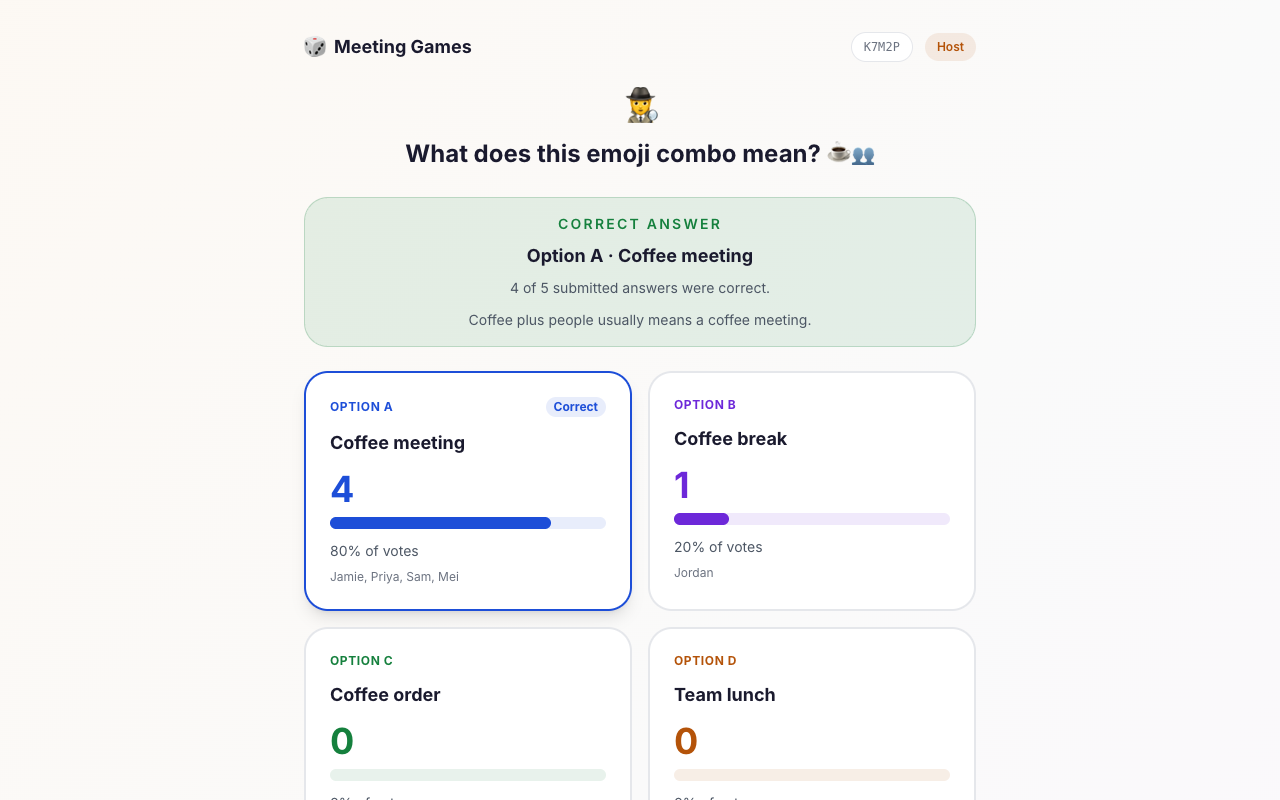
- 3Everyone guesses simultaneously, then the answer and scoreboard reveal.
Try it out
Sample questions
A quick look at the kind of prompts in this game.
What does this emoji combo mean? 🍕🍕🍕
What does this emoji combo mean? 💻📞
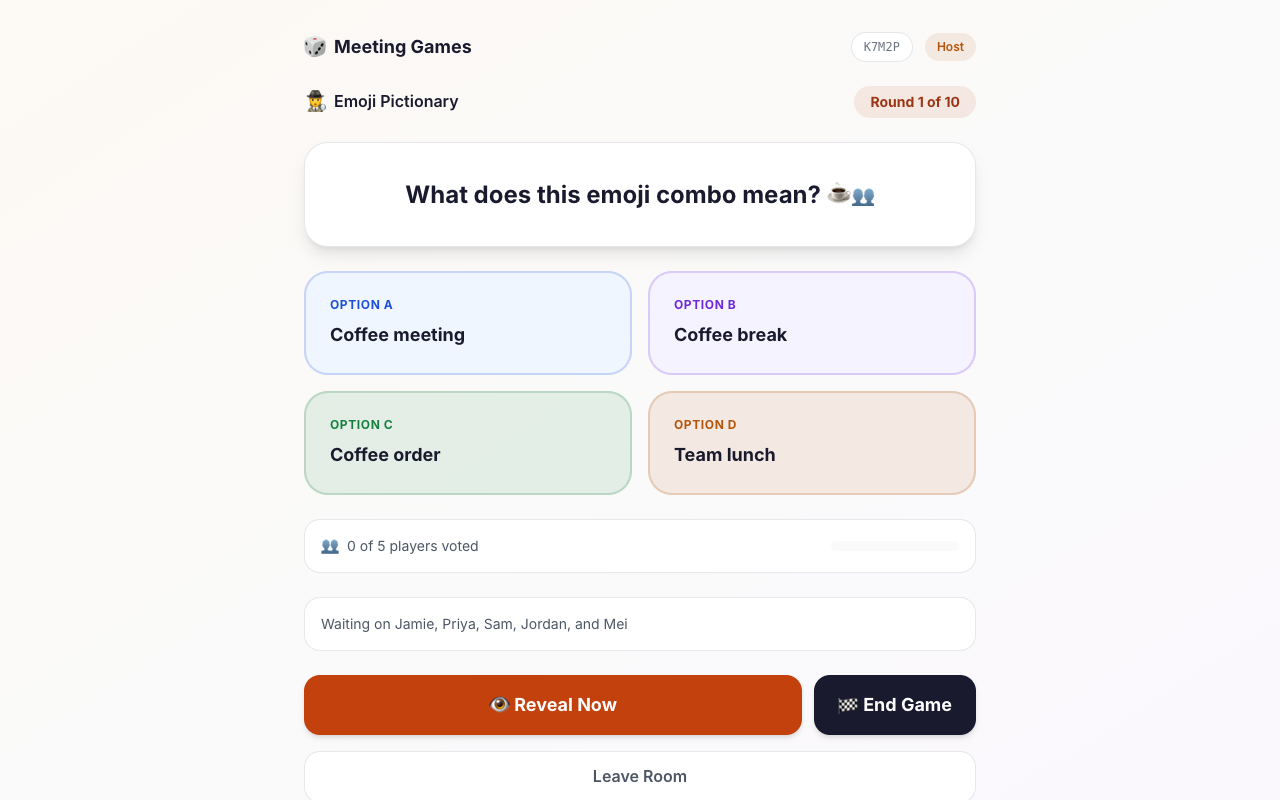
What does this emoji combo mean? ☕👥
What does this emoji combo mean? 🧠⚡
Facilitation guide
Timing and group size
Timing guide
A quick visual warm-up
A standard team session
Offsites, socials, and events
Group size guide
Debate the guesses before revealing.
Reveal after everyone votes and highlight close calls.
Screen share the emoji and keep the pace fast.
Host guide
Host playbook: running Emoji Pictionary
Emoji Pictionary shows a short sequence of emoji and asks the room to pick the phrase it represents. It adds a visual, slightly puzzle-like change of pace and uses a scoreboard, so it suits team socials and onboarding sessions.
Download the one-page Emoji Pictionary host script (PDF)Free to print and share: steps, what to say, and a score sheet.
How a round works
Each round displays an emoji sequence with several possible answers. Everyone chooses at the same time on their own device. After the reveal, the correct phrase and the scoreboard appear, and the host moves to the next round.
Making it feel like a team game
The reveal is where the fun happens, because the wrong answers are often funnier than the right one. Give the room a few seconds before you reveal so people can argue in the chat about what an emoji combination is supposed to mean.
- Screen share the emoji so everyone looks at the same thing on the call.
- Ask players to explain their reasoning when a wrong answer was popular.
- Run five to eight rounds for a social; fewer if it is an onboarding warm-up.
Hosting tips
- Accessibility: say the emoji out loud for anyone using a screen reader or dialled in without video.
- Different devices render some emoji slightly differently. If a puzzle looks ambiguous on your screen, mention it before the reveal.
- Keep it work-friendly. The built-in puzzles use workplace and everyday themes, so the host does not need to filter anything.
When to pick something else
If you only have a minute or two, This or That is faster. If you want players to bluff or deceive, try Two Truths and a Lie.
Want more ideas and a longer walkthrough? Read Emoji Pictionary for work.
FAQ
Common questions
How does Emoji Pictionary work in a meeting?
The host shares a room link, and each round shows an emoji sequence with multiple-choice answers. Everyone guesses at the same time, then the correct answer and scoreboard reveal.
Is Emoji Pictionary good for work?
Yes. The puzzles use workplace and everyday themes, so they are safe for company meetings, onboarding, and team socials while still being genuinely fun.
Do players need an account?
No. Players join with a nickname only. The game runs in the browser beside any video call.
How long does a game take?
A short run is about 5 minutes for 5 rounds. A longer session of 8-10 rounds takes around 8-12 minutes.