Rapid Fire: beat the countdown and see how the room splits
Quick energy check-ins and either/or picks on a countdown. Everyone answers before the timer ends, the room reveals together, and the next prompt starts by itself.
How it works
- 1Create a room, pick a deck and a countdown, and share one link.
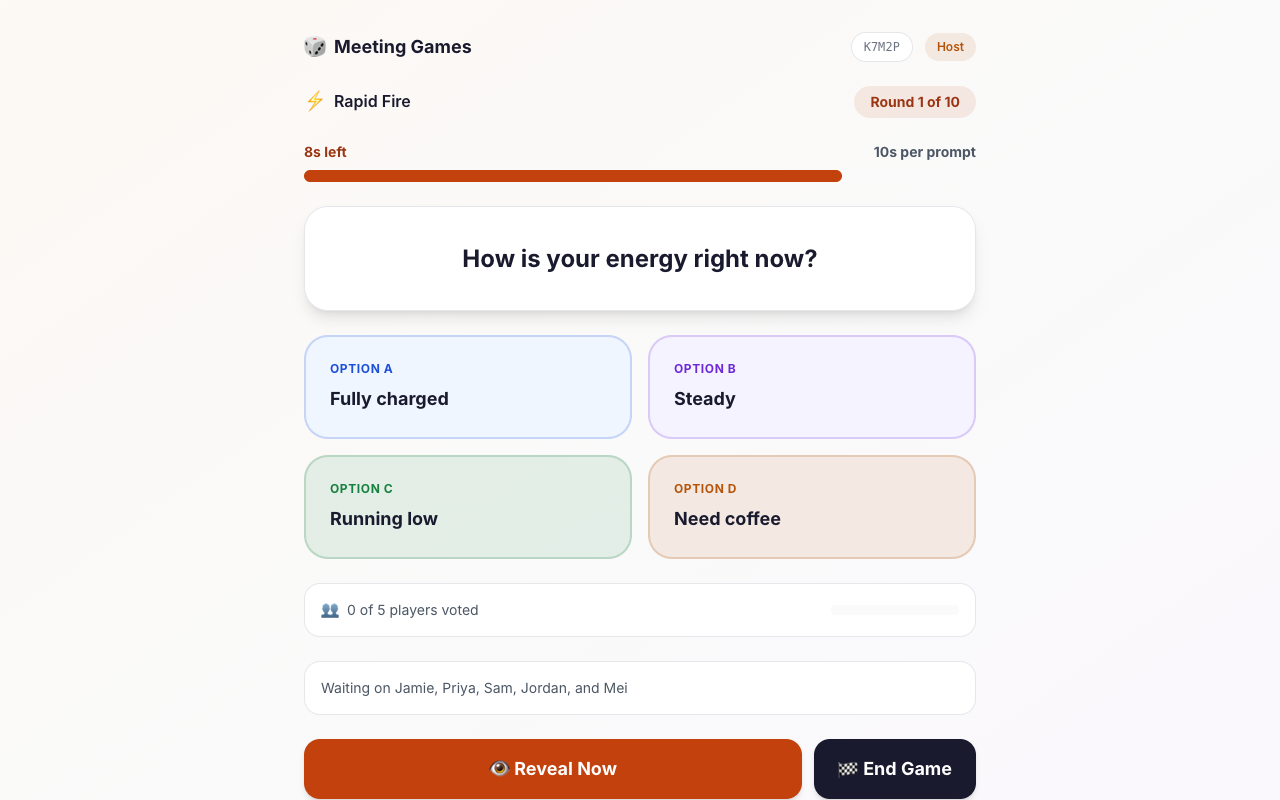
- 2Each prompt starts a timer; everyone taps an answer before it runs out.
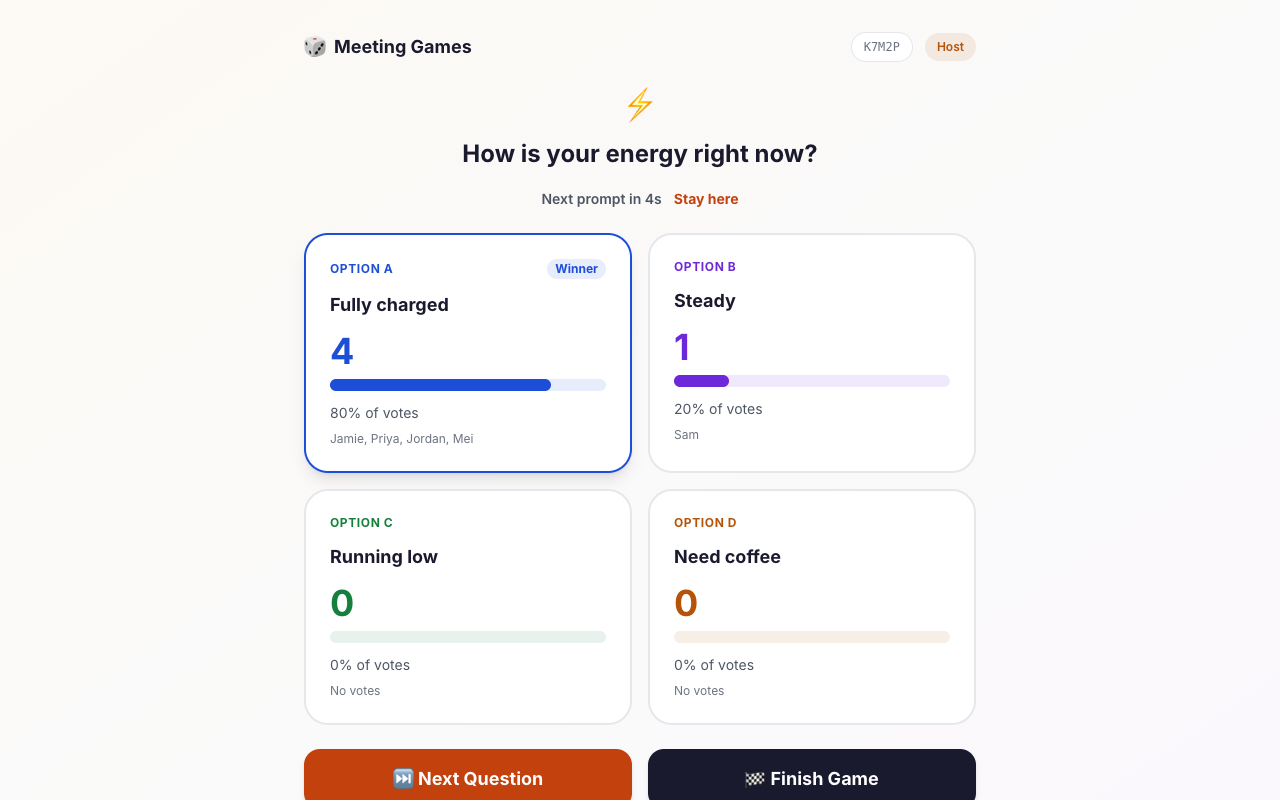
- 3The room reveals together and the next prompt starts on its own.
Try it out
Sample questions
A quick look at the kind of prompts in this game.
How is your energy right now?
Quick call or long email?
What does your inbox look like?
Early bird or night owl?
Facilitation guide
Timing and group size
Timing guide
A quick opener before the real agenda
A standard kickoff or standup
A longer energy boost
Group size guide
Comment on a surprising result between prompts.
Keep the 10-second timer and let the screen do the talking.
Screen share the results, keep comments in chat, and choose 8 seconds for pace.
Host guide
Host playbook: running Rapid Fire
Rapid Fire is a timed pulse check. Each prompt has a countdown, the room reveals together, and the next prompt starts by itself. There is no scoreboard and no right answer, so it suits kickoffs, standups, and any moment you want to read the room quickly.
Download the one-page Rapid Fire host script (PDF)Free to print and share: steps, what to say, and a score sheet.
How a round works
The host picks a deck (energy check-ins, work habits, just for fun, or a mix), the number of prompts (8, 12, or 16), and the time per prompt (8, 10, or 15 seconds). Each prompt starts a countdown. When everyone has answered, or when time runs out, the room sees how people split.
After the results have been on screen for five seconds, the next prompt starts on its own. The host can press Stay here to hold a result, or End Game at any point.
Things to know before you run it
- The countdown and the automatic advance run in the host's browser. Keep the host tab open and in view.
- Anyone who has not answered when time runs out is simply not counted for that prompt; they can join in on the next one.
- Choose 15 seconds for a global or mixed-language room, or for anyone who needs more time to read. Shorter timers are a pace choice, not a test.
- If the host leaves, another active player is promoted to host.
Using the results
The energy check-ins are the most useful part. If a lot of the room answers "running low" at the start of a long agenda, that is your cue to shorten a section or add a break. Say what you see out loud: "Looks like most of us are running low, so let's keep the first item tight."
Hosting tips
- Read the prompt aloud once, quickly, then stay quiet while the timer runs.
- Comment on a result only when it is surprising, such as a very lopsided or an even split.
- Eight prompts is a good opener. Twelve fits a standup or kickoff. Sixteen is a longer energy boost.
When to pick something else
If you want a right answer and a scoreboard, use Trivia Rush or Emoji Master. If you want slower, more reflective questions, use Would You Rather.
Want more ideas and a longer walkthrough? Read Rapid fire questions for work.
FAQ
Common questions
What is Rapid Fire?
Rapid Fire is a timed quick-answer game. Each prompt has a countdown of 8, 10, or 15 seconds. When everyone has answered, or the timer ends, the room sees how people split, and the host's screen moves on to the next prompt after a short pause.
Is there a scoreboard or a right answer?
No. Rapid Fire is a pulse check, not a quiz. Prompts are energy check-ins and either/or picks, so nobody can be wrong and nobody needs to know anything.
What happens if someone does not answer in time?
The results reveal when the timer ends, and anyone who has not answered simply is not counted for that prompt. They can join in on the next one.
Can the host slow things down?
Yes. The host can pick a longer timer when creating the room, and during the game can reveal early, stay on a results screen instead of moving on, or end the game at any time.
Does the host need to keep the tab open?
Yes. The countdown and the automatic advance run in the host's browser, so keep the host tab open and in view. If the host leaves, another active player is promoted to host.